
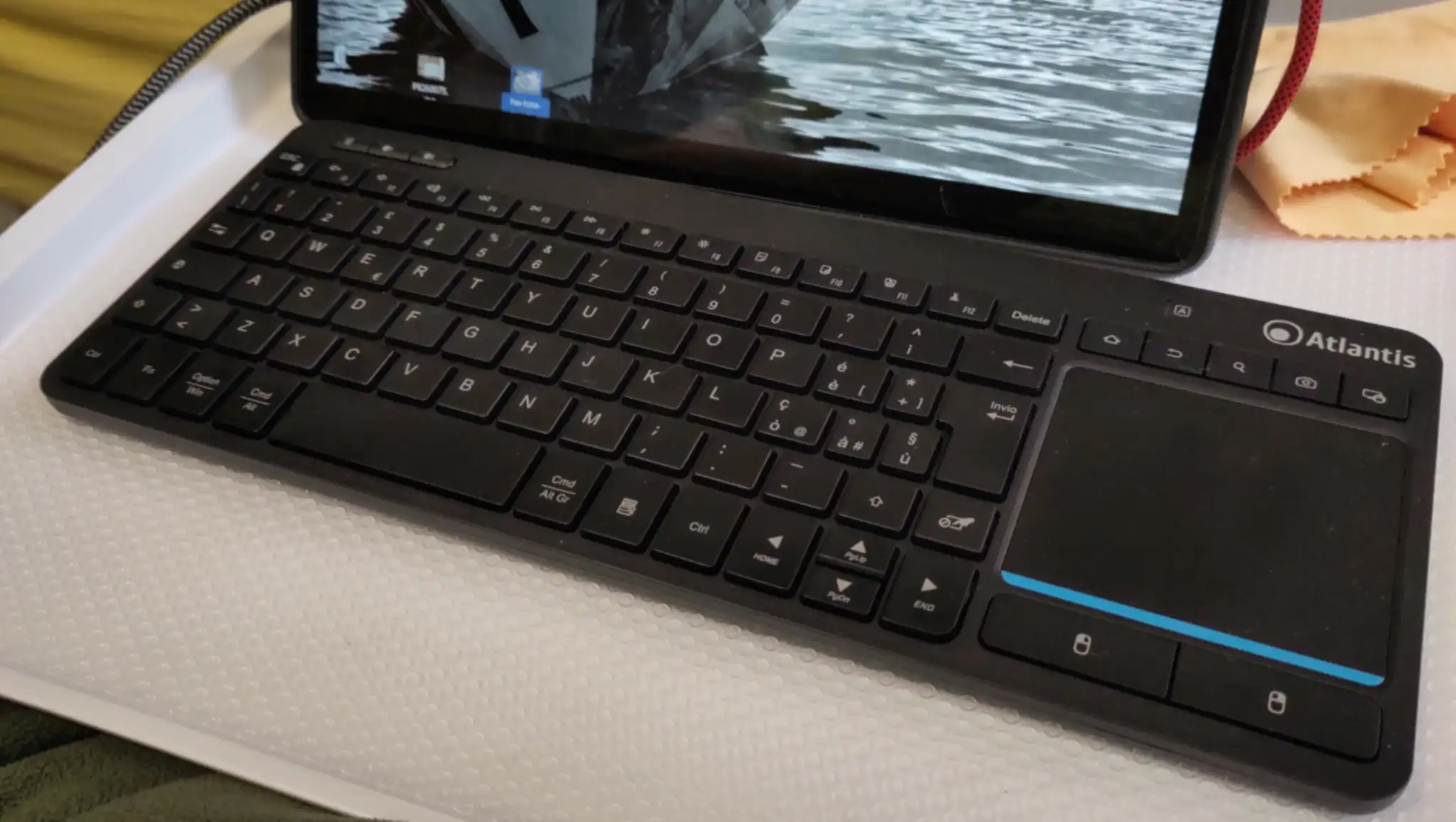
Looking for a compact keyboard with an integrated touchpad, I found the Atlantis KD3616 keyboard.
It is an Italian brand, and I’m not sure if this keyboard is available outside Italy.
What sold it to me, was the promise of three finger gestures on the touchpad, which I use a lot in Gnome, to switch between desktops and open and close the overview.
It does, kind of, but it also doesn’t.
To begin with, the producer doesn’t promise Linux compatibility. They promise Windows, macOS, Android and iOS, but not Linux. That is, they don’t do so on the package, but they do on their website.
First impressions: the keyboard is very compact, OK to type on, and the touchpad is fairly large. There are lots of custom buttons for all sorts of function, and they work on Linux.
It can connect through an included USB dongle, or with Bluetooth.
That said, the three finger gestures were odd and apparently random, and some other things are weird too.
No middle button
Firstly, looking into the settings, the touchpad doesn’t appear as a touchpad, but as a two button mouse with a scroll-wheel. That is, it’ll do button 1 (left), button 2 (right), button 4 (up) and button 5 (down).
There’s no middle button, which I use for pasting, and there’s no way of emulating it.
Double tap is triple
To register a double click, one has to tap thrice.
A triple click requires five taps.
It is impossible to double-click and drag to select multiple words.
Gestures
Secondly, if the touchpad is a mouse, how do the three-finger gestures work?
Well, since the touchpad is part of a single peripheral with a keyboard, all the three finger gestures actually do, is to send keystrokes.
Not only that, they send hardwired, non-configurable, keystrokes.
| Three-finger gesture | Keystroke |
|---|---|
| Tap | Super-S |
| Swipe up | Super-TAB |
| Swipe down | Super-D |
| Swipe left | Shift-Alt-TAB |
| Swipe right | Alt-TAB |
There are some two-finger gestures too.
A two-finger tab is a right click, and you can pinch to zoom, which at least works in Firefox and Thunderbird, but unlike the three finger gestures, the two-finger gestures don’t seem to send keystrokes.
Special keys
The function key row has double functions with an FN key, which luckily can be interchanged, so you can configure which set of functions are the primary.
There are media keys and screen brightness keys, and they all work flawlessly.
Four special keys for editing, however, simply send the keystrokes Ctrl-A, Ctrl-C, Ctrl-X and Ctrl-V.
Wasting space on a very compact keyboard, for something that superficial, seems a bit ridiculous.
There are five keys over the touchpad, marked as Home (sends keysym Home), Undo or Back (sends Ctrl-Z), Search (sends Search), Camera (sends Print) and a key with a symbol of a display and a padlock (sends MenuKB).
Other notes
The right shift key is tiny, and I almost always hit the disable touchpad key, which occupies part of the space normally given to the shift key.
Luckily, to actually disable the touchpad, the key requires the FN key to be pressed.
The keyboard has a real Menu key — Yay!
It is also missing an Insert key — not yay! I’d must rather have an Insert key than a designated Ctrl-V key.
Conclusions
It is not a bad compact keyboard, but having silly keys for cutting and pasting, while omitting an Insert key and a properly sized Shift key, are bad design choices.
Double and triple click simply don’t work correctly.
No middle click is also plain wrong. It should always be possible to do a middle click. Two button mice are so last century.
The way three-finger gestures work is odd, to say the least, but I suspect there’s a technical reason.
Leave a Reply