Category: IT

  • Paste with two-finger tap in Wayland [solved]

    When I moved to Wayland from Xorg — initially just to try it out — the only grievance I had was that on a laptop with a touchpad, a two-finger tap would act as a right-click and bring up the context many.

    I have been used to that doing a middle-click — pasting the clipboard — since I started using Unix workstations sometimes in the mid-1980s.

    There didn’t seem to be an easy way to remap the mouse buttons, as you could easily in Xorg.

    (more…)
  • OpenWrt and DMZ

    OpenWrt and DMZ

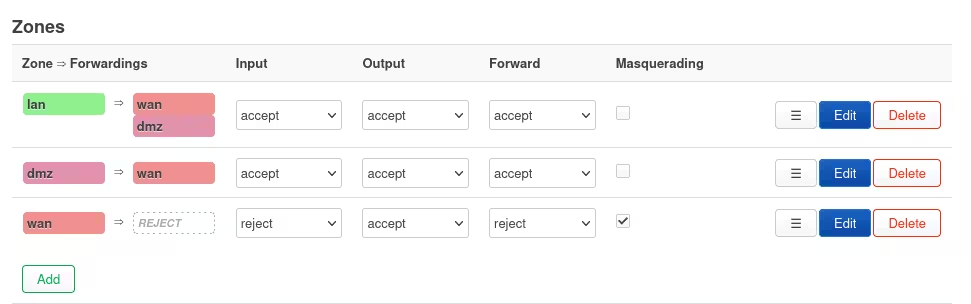
    Most commercial routers have some simplified way of defining a local host as a DMZ host.

    Incoming traffic on the wan side is forwarded to the DMZ host, while firewall rules will then prevent traffic from the DMZ host to the others on the LAN.

    This is a fairly simple way of having a server exposed to the internet, while still being easily accessible from the LAN.

    OpenWrt doesn’t have such an option, but it can be done.

    (more…)
  • synogear install

    This is running on a Synology DMS home NAS. Having been running Unix and Linux for forty years, I’m rather used to overseeing my own systems. Not so much with the NAS.

    Today I discovered that if you run the command synogear install as root, it’ll install a hidden package full of diagnostics commands.

    I found it because I needed iotop.

    My next NAS will be home-spun with a standard Debian based system, so I can do what I want without jumping through useless burning hoops.

  • Hyphens and dashes in WordPress

    I’ve often been uncertain about what WordPress does with one or more hyphens in various contexts, and even looking at the code of wptexturize is that useful — not all code is poetry.

    One or more hyphens can produce a single hyphen (-), an en dash (–) or an em dash (—), but it’s not entirely straightforward.

    TL;DR

    A single hyphen becomes an en-dash if surrounded by spaces. Otherwise, it remains a hyphen.

    Double hyphens become an em-dash if surrounded by spaces. Otherwise, they become an en-dash.

    Triple hyphens always become an em-dash.

    Common usage

    Number ranges with en-dashes require double hyphens, as in 5–6. Otherwise, you’ll get a hyphen, like 5-6.

    Em-dashes used as punctuation—normally without any spaces around—need to be entered as triple hyphens. If used with spaces around — which is not the common usage, however — double or triple hyphens work the same.

    See — for example — How to Use Em Dashes (—), En Dashes (–), and Hyphens (-) on Merriam-Webster.

    Test tables

    Single hyphens

    InputOutputResultNote
    -–en dashalone
    word-wordword-wordhyphensurrounded by letters
    word - wordword – worden dashbetween words with spaces
    word- wordword- wordhyphenspace after
    word -wordword -wordhyphenspace before
    5-55-5hyphenbetween digits
    5 - 55 – 5en dashbetween digits with spaces

    Double hyphens

    InputOutputResultNote
    --—em dashalone
    word--wordword–worden dashsurrounded by letters
    word -- wordword — wordem dashbetween words with spaces
    word-- wordword– worden dashspace after
    word --wordword –worden dashspace before
    5--55–5en dashbetween digits
    5 -- 55 — 5em dashbetween digits with spaces

    Triple hyphens

    InputOutputResultNote
    ---—em dashalone
    word---wordword—wordem dashsurrounded by letters
    word --- wordword — wordem dashbetween words with spaces
    5---55—5em dashbetween digits
    5 --- 55 — 5em dashbetween digits with spaces
  • De-googling

    De-googling

    I have tried for ages to de-google. Not just from Google itself, but all the big ones — Google, Apple, Meta, Amazon. However, de-googling is not easy.

    The main problem is that of surveillance capitalism. These giant corporations — and many others — spy on you to sell or exploit the data for commercial purposes. While you can decide not to buy, they can used that information for other purposes.

    Once the information is there, it will be used, and often for nefarious purposes to our own detriment. Often, once we’ve lost control of our data, it’ll be used against us.

    One example: a recent case in the USA where mother and daughter ended up in prison for an abortion performed in another state, based on their Facebook messages, willingly handed over by Meta.

    It is very much in our interest not to give these corporations our data.

    We can do something, but it is not easy and it doesn’t go all the way. It can be very hard indeed, if you have family, friends or even a job, and most of us do.

    I also have the advantage of being tech-savvy — my wife or friends would not be able to do much of this.

    This is a run-down of what I have tried to do so far, with a short discussion of the problems at the end.

    Computers, phones, things

    We’re surrounded by computers. Everything has a computer inside, often with with more computing power than what was used for the entire Apollo program to put a man on the moon.

    Desktop computers

    All our computers are running Linux and have for decades. I started with Linux in the early ’90s, and with Unix in the mid ’80s, so it’s second nature. There are no closed source software on the computers.

    Everything I need to do with a computer, I can do with Open Source software. My wife is generally happy with a browser, a mail program and an internet connection.

    We have one Windows installation, which rarely boots, but its there in case it’s needed for my wife’s work. In practice I boot it every few months for updates, in case she’ll need it. It is, however, not used unless there’s some kind of emergency.

    During the Covid lockdowns she worked from home, which required a bit of proprietary software. It was available for Linux, and we had no Windows computer then, so that was how she used it.

    We do have Chromium installed on the computers, but only use it for emergencies. I use Firefox with lots of containers, so all Google activity is in one container, Meta in another, search results (through DuckDuckGo) in its own, and all my private sites and activities separate.

    Cellphones & tablets

    Our phones and tablets are all Android. We’re completely embedded in the Google eco system. There’s no easy escape. The hardware is usually locked down, and the systems won’t work without several of Google’s apps.

    Alternatives to Google Android often lack essential functionality (see below about Banking and Public administration).

    I do have some dubious apps on my phone, because in the end you’re forced to make compromises, even if you’re self-employed. Most notably I need the apps that will get me paid for my services, such as apps for my bank and for credit card processors.

    I have avoided the worst, especially social apps from the big culprits, and I use the mobile sites as much as possible. I can check Facebook and Twitter without the apps, at least for now.

    We both have DuckDuckGo installed, including the VPN part which blocks trackers embedded in other apps. It is amazing how much data is sucked out of your phone by just about every commercial app in existence.

    Internet of things

    We don’t really have a lot of ‘things’ online. For now its limited to routers and printers.

    We try to get stupid appliances, or alternatively, not to connect them. This will probably get harder and harder in the future.

    If I have to, I’ll put up a separate Wi-Fi network for such ‘smart’ appliances, so I can check on traffic and so they can’t reach our computers and phones.

    Banking and public administration

    This is one of the larger systemic problems. Banking and online access to public administration is now locked to our phones and without their apps on our phones we’ll have real problems in our daily lives.

    Even if you try to connect to your bank or a payment service from a desktop computer, there’s usually a two-factor check with an app on your phone.

    Anybody who’ve lost their phone will have some horror story about losing access to bank accounts and public services, and about regaining that access on a new phone with a new SIM card, even if its the same number.

    Telephone numbers are often used for identity validation.

    Social media and messaging

    Social media and messaging have become a large part of our lives, and an equally large attack surface for the surveillance predators.

    By now social media are unavoidable, but most of the companies behind are the worst of the surveillance predators.

    I try avoiding the apps on my phones and tablets, by using the mobile sites through DuckDuckGo as much as possible. Consequently, I have so far been able to avoid the WhatsApp, Facebook, Messenger and Twitter apps. Messenger doesn’t work on the mobile site, on purpose, so I only check that on the computer.

    I live without WhatsApp even if many people cannot understand how it is possible.

    Mastodon is the lone exception. I have the app on my phone, but Mastodon is different (I hope).

    Signal is the obvious correct choice of messaging app. However, in reality I use Telegram the most, because that’s where the people I need to talk to are.

    That is the main problem with messaging. Everybody else is on WhatsApp, Messenger, Telegram, Snapchat, Discord, and so on, rather than on the safest and most secure systems, like Signal.

    The reason is — obviously — that the same surveillance predators push us hard towards their own offerings, because the data they can scoop out of our devices are just too good to leave to others. That is also why they make it so hard to use their services detached from your phone.

    I don’t have most these apps on my phone, but we both have some because of work requirements.

    Documents & sharing

    After the revelations of Edward Snowden — tens years ago — I moved our files and as much as I easily could away from Google Apps where I had a free setup. I had a company back then, and that moved too.

    Since then we’ve had most of our files on an instance of initially Owncloud, later NextCloud, installed on a VPS. We ended up using it a lot, and space is often tight on such VPS’es so I set up a separate instance on a NAS we have at home.

    Consequently, I have practically all my files in some NextCloud folders, synced with one of the two instances, which is very handy as I can walk from one computer to the other easily, yet the files will arrive there first.

    Mail, calendars and contacts

    The Google Apps setup (actually two, one private and one for the company I had some years back) served mostly for mail, calendars and contacts.

    Therefore, all that data was on Google servers.

    When Google removed the free option on Google Apps I finally moved the difficult bits — mail servers are notoriously difficult — to another VPS running Mail-in-a-box.

    MIAB — as it’s often shortened — is nothing short of fantastic. It basically automates all the difficult parts of running a complete mail server. In that box is a mail server (Postfix), IMAP (Dovecot), web-mail (Roundcube), anti-spam (spamassassin and postgrey), DNS and some more bits. There is also a minute Nextcloud instance — running of an SQLite database — for contacts and calendars.

    Since modern mail requires lots of entries in DNS for all the domains, MIAB has an integrated DNS server, which is now primary for all my domains, with secondary on one of the other VPS’es. That’s another tiny bit of data — but a very important bit of data — brought under my own control.

    Obstruction

    The main problem with a private mail server is that the surveillance predators don’t want you to, and make your life difficult, just because they can. All the mail passing through the mail servers of Google, Microsoft and Apple is a treasure trove of data for their advertisement networks and now for training their ‘AI’ — which illogically is short for Automated Plagiarism.

    While probably some 80% of the spam hitting my server comes from Hotmail, Microsoft is also the only one who’ve repeatedly blocked my mail server because of ‘spam.’ In reality they just randomly block entire subnets of IPs for various hosting providers, so if somebody is sending spam from an IP address in the same block — which is out of my control — they block the lot. In any case, I’ve had had to open tickets with Microsoft repeated for ‘mitigation’, and recently it’s been working reliably.

    Mail servers have always been obnoxious to administer, but MIAB generally just runs smoothly. I spend very little time on that server.

    Data safety

    Our data is on our servers, so we’re good, right?

    Wrong!

    Google is still there

    While mail, contacts and calendars are now on my own server, through software I trust, Google hasn’t really left the building.

    All that data still passes through our cellphones, which run Android and Google apps.

    I use an open source mail app on my phone. That’s the easy part.

    Calendars and contacts are synchronised with Nextcloud by DAVx5. However, I need a Google calendar for one of the places I work with, and I’ve found no open source app to synchronise that. I therefore must have Google Calendar installed and active on the phone, so that’s the calendar app I use.

    Files on VPS’es

    The VPS’es I have all run Linux. There’s a mail server and a couple of web servers.

    They are with an external provider, and that external supplier obviously has access to the physical disks where our files, mail, contacts and calendars are stored.

    That’s the nature of things. If you have physical access to a storage device, you have access to the data.

    I could encrypt the file systems, but it will probably prevent an automatic restart of the servers, if that should be necessary. Servers need to reboot unattended, but the hardware is not under my control, and it is not entirely up to me to decide a reboot. If the encryption key is stored on the server, I have gained nothing as they’ll have access to the key.

    So what have I gained?

    Firstly, both the hosting provider and myself are in Italy, so the legal situation is rather simple. My data is on some random disks in a data centre, but under Italian law. That is a lot better that having your data who knows where under who knows which laws of who knows which jurisdiction.

    Secondly, while I don’t have full control over the data, the data are not accessible by the surveillance predators. Those who could gain access are Italian law enforcement and Italian courts, but private entities cannot.

    Thirdly, even the files I have on the NAS in our home are within the reach of Italian law enforcement and Italian courts. The same court order which can give them access to the hosting provider’s data centre, can give them access to our home.

    This is still orders of magnitude better than having your data directly on the servers of one of the surveillance predator corporations.

    Major problems

    As should be evident, what I have done to secure our private data is not perfect. There are problems, and there are some major problems.

    Android

    The glaring hole in al this is obviously the phones and tablets with third-party apps, not to speak of Android itself.

    A central part of our daily lives is directly controlled by an America advertising giant, one of the main surveillance predators.

    Next time I need to get a new phone — if I have the money — I’ll try a de-Googled Android phone, like a Valla Phone. Unfortunately, Google-free Android phones are more expensive, so if you’re short on money they might be out of reach. As always, being poor is expensive.

    I also need to be absolutely sure that essential apps do work on such a phone, because I rely on apps to get paid for my work, and I rely on apps for banking and for access to public administration.

    Social media — social pressure

    Social pressure around social media is a problem.

    Outside pressure, such as my wife’s work requirements, can easily force you to have apps on your phone which really shouldn’t be there. In her case we’re not talking about work specific apps that allow her employer to spy on her, but general purpose apps which allow mega-corporations to spy.

    I probably make a bit less money because of my refusal of using WhatsApp, which is what everybody wants. I get asked about it continuously.

    De-googling is not easy at all.
  • ActitivityPub and DDOS

    ActitivityPub and DDOS

    On a work related web site I made two posts on January 15th, at 7.35 in the morning.

    In the following few hours my tiny server took quite a beating, at least compared to what it normally gets. The activity was sufficient to make the site periodically unresponsive.

    It is not the first time this happens, and it is related to ActivityPub.

    For those interested, the website is History Walks Venice, and the Mastodon handle is @info@historywalksvenice.com.

    The Problem

    The main problem I encountered was that my websites went unresponsive for periods after the two scheduled posts were published at 7:35.

    It didn’t happen immediately, and it wasn’t all the time.

    The problem persisted for a couple of hours.

    When I first noticed, I was walking the dogs, so I couldn’t inspect the server immediately. When I came back, the sites were responding again, but then it happened a few times more.

    Traffic

    The table below shows the number of hits with a User-Agent containing the word Mastodon, aggregated by the hour for the entire morning.

    This data is from the Apache access log.

    HourTotal requestsMastodon requests% Mastodon
    61117747%
    73048178959%
    86060397866%
    95238341965%
    1017821337%
    111659651%

    Mastodon instances are generating quite a bit of traffic, which is to some extent also the intent and purpose of sharing posts on the Fediverse.

    The spikes are even more localised that the table above indicates. For example, in the period 8:00-8:59 there were 1194 Mastodon requests in the single minute 8:23, 947 requests at 8:00, 409 at 8:14 and 350 at 8:32. That is half the requests for that hour, in four separate minutes. In the period 9:00-9:59 a total of 3178 requests arrived between 9:04 and 9:07.

    The traffic spikes are not because of a huge following. The site has about thirty followers. However, the posts did mention a group with over 4K followers, which must have widened the reach substantially. Again, this is what I wanted.

    Instances

    All in all some 766 Mastodon instances chimed in, most of which only made a dozen or so requests. Only 17 instances made twenty or more requests, 589 made 10–19 requests, and 160 made less than ten requests.

    Here is the top ten in terms of requests to my server in those six hours:

    InstanceRequestsTop101Followers
    https://mastodon.world/4919Yes
    https://red.niboe.info/195
    https://mastodon.social/841Yes
    https://nafo.uk/44
    https://pawoo.net/312
    https://mastodon.green/28
    https://nerdculture.de/27
    https://mstdn.jp/243
    https://mozilla.social/24
    https://corteximplant.com/23

    The instance mastodon.world alone made over 150 requests/hour to my site for a period of 3 hours, all because of two posts.

    The second, red.niboe.info, appears to be a Spanish language, invite-only instance.

    Why the difference? I suspect it has something to do with how the instances cache the results of lookups on other instances.

    Requests

    Here’s a breakdown of what the Mastodon instances requested from my site on the morning of January 15th when the two posts were published.

    I have removed requests for posts and media, which simply means somebody views the posts on Mastodon, which is fine. That what I want.

    These requests are behind the scenes requests.

    HTTP requestCount
    GET /author/info/854
    POST /wp-json/activitypub/1.0/users/2/inbox794
    GET /wp-json/activitypub/1.0/users/2/collections/featured754
    GET /.well-known/webfinger?resource=acct:info@historywalksvenice.com749
    GET /wp-json/activitypub/1.0/users/2/outbox668
    GET /wp-json/activitypub/1.0/users/2/following567
    GET /wp-json/activitypub/1.0/users/2/followers494
    GET /95
    POST /wp-json/activitypub/1.0/users/6/inbox24
    POST /wp-json/activitypub/1.0/users/4/inbox24
    GET /wp-json/nodeinfo/2.11
    GET /api/v1/streaming/public1

    User ‘info’, uid 2, is the one making the posts. The requests for users 4 and 6 were from mastodon.social because I tested the WordPress ActivityPub there, and it remembers.

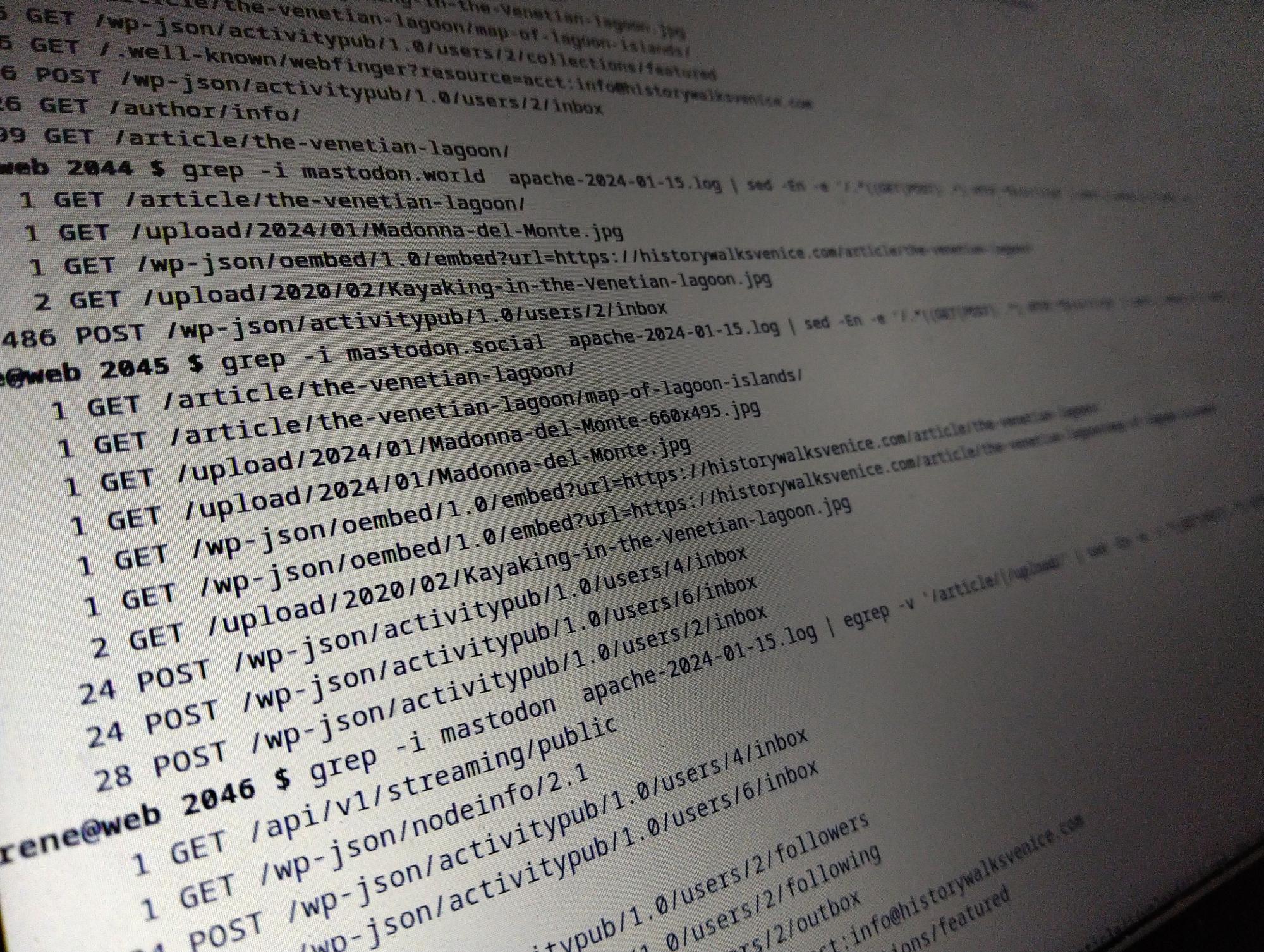
    Of the requests from mastodon.world, all but 5 was for “POST /wp-json/activitypub/1.0/users/2/inbox“. That is, one of the top ten Mastodon instances made 486 identical requests over three hours, while apparently one or two persons saw the posts there. The instance made one (1) request for a post, 3 requests for media and one oEmbed request.

    Why?

    All this because my website went unresponsive for a few periods, about an hour or two after the posts were published.

    Obviously, I want my sites responsive, and especially when I’ve just published posts.

    Server and software

    The server runs Debian stable, with up-to-date vanilla Apache and MariaDB. It is a VPS with 2vCPUs, 4Gb of ram with 2Gb of swap for emergencies. It is not large, but neither is it the smallest you can get. Apache is configured to allow up to 100 worker processes.

    The site is WordPress with the ActivityPub plugin active. Both are up-to-date. There’s a page cache, and a redis backed object cache active.

    There are some other sites on the server, but they are very low traffic, and don’t use ActivityPub.

    Unresponsiveness

    The first thing I noticed was that the problem was not the server as such. I had no problem logging in while the site didn’t respond. There are no OOM messages in the system logs.

    It wasn’t a network problem, as I can hardly use one percent of the bandwidth the server has. The hosting provider’s statistics show no spikes in traffic volume.

    The server as such was not unresponsive, the websites it served were.

    The problem was Apache, but there’s no easy solution.

    I’ve checked the response times of the requests made by the Mastodon instances, and there’s nothing obviously slow.

    My current suspicion is that the many requests causes Apache to run out of request workers. Numerous requests in a very short time uses up the available worker processes, and if the Mastodon instances keep the connection alive for subsequent requests (I don’t know if they do), they are not relinquished immediately for other requests from other clients.

    I have set the limit of worker processes (with the MPM prefork) to 100, which will be the maximum number of concurrent requests.

    There’s nothing in the error_log, though. I would have expected to find a message there, if Apache runs out of worker processes.

    Conclusion

    I haven’t solved my problem, and I’d be happy for any suggestions about how to proceed.

    What I have found out, is that if you use the ActivityPub plugin with a larger following or, as in this case, by mentioning a large group which boosts your post immediately, hordes of Mastodon instances will come down hard on your cosy little server, and not all are well-behaved.

    Just in this case, I’ve seen at least two instances with a less than optimal behaviour.

    Footnotes

    1. The ranking is from instances.social. ↩︎
  • Synology DS720+ and NVME drives – followup

    Synology DS720+ and NVME drives – followup

    Update

    The current solution to using NVME drives for a storage pool on Synology hardware where Synology doesn’t think you should, is this:

    https://github.com/007revad/Synology_HDD_db

    It is a script that will fiddle with the compatibility database on the system to make it accept the drives you have. It will have to be run after each system upgrade, and probably after each reboot.

    I ran the script, rebooted, had to rerun the script after which I could create a Storage Pool, and then a Volume within the Storage Manager app.

    This kind of stuff really, really shouldn’t be necessary.

    — August 26th, 2023


    Initial grievance

    A while ago I managed to use the NVME drives on a Synology DS720+ NAS as drives, which has worked fine — until today.

    I wrote about it earlier here.

    What I’ve noticed so far:

    1. The DSM7 interface will not recreate the “Storage Pool”.
    2. Logging in as root, I noticed that the raid drive was missing. It should have been ‘md3‘ in my case, by I only had ‘md0‘ to ‘md2‘.
    3. I can reassemble the drive, and the data on ‘md3‘ is still there.
    4. However, a reboot later, and the raid drive disappears, and the error persists.
    5. I can mount ‘/dev/md3‘ manually and use the raid disk, but it doesn’t appear as a volume in Synology’s system. If I mount it under ‘/volume1/‘ I can access the files through the file manager and also create a shared folder in there.

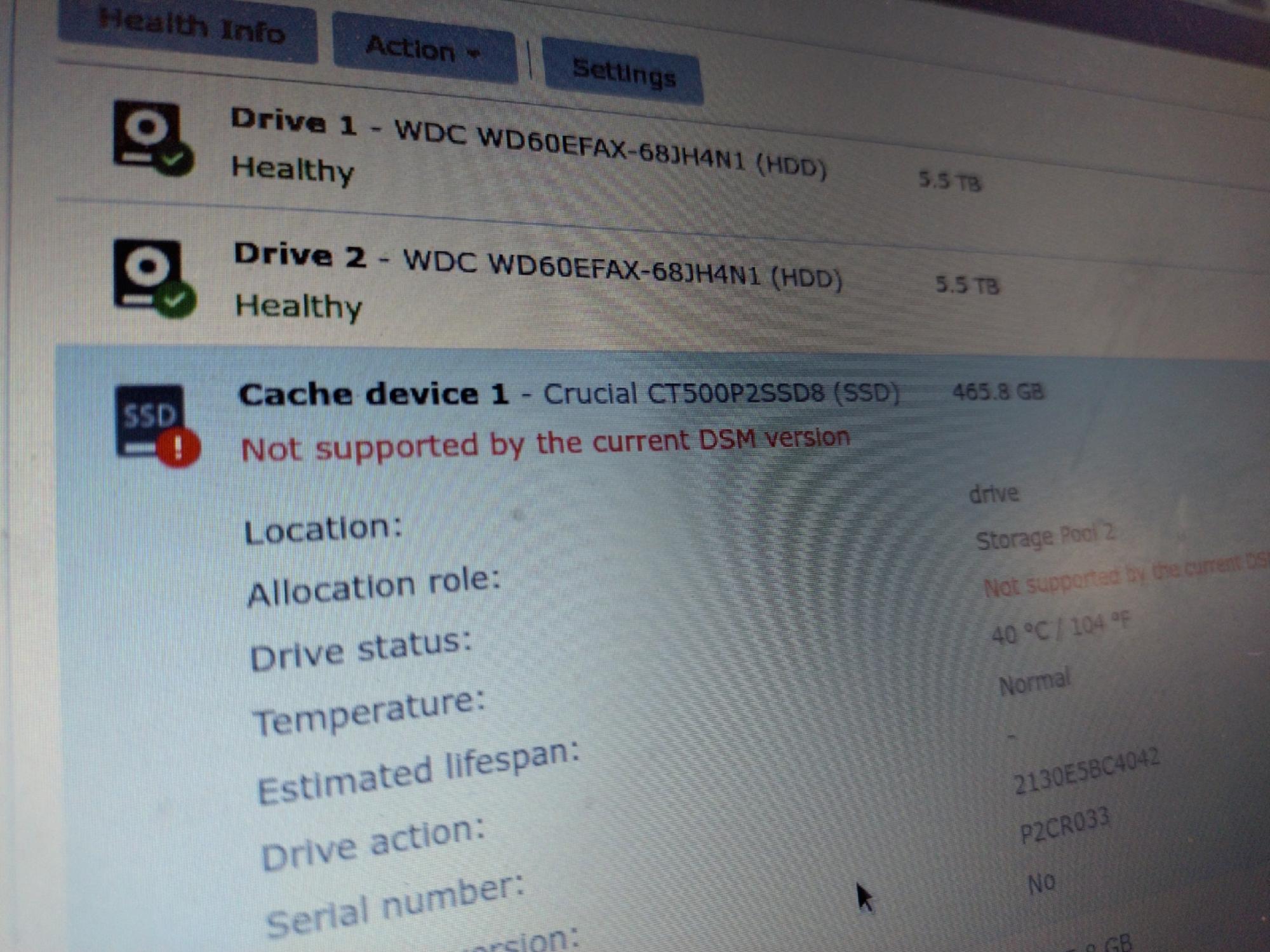
    I guess Synology doesn’t want us to use the NVME slots as drives, even if their NVME cache is all but useless.

    I have tried with NVME drives certified by Synology, and the system still refuses to use the drives for a storage pool.

  • WordPress Full Site Editing

    WordPress Full Site Editing

    In the past I’ve been happily fiddling with WordPress themes and plugins manually, but with the new full site Editing system that doesn’t really work any more.

    That’s not bad because you can probably get more effect with less effort using the new system.

    I’m not a designer, so I’ve usually worked with child themes.

    Somehow, an edited theme with the full site editor seems a bit like an old-style child theme. The modifications you make are in the database, and when the parent theme is updated, your changes remain. That was one of the important features of child themes, and that is also how the new system works.

    In that sense there’s little need for child themes.

    What if you want to use your modified theme on several sites?

    Reusing modified themes

    The full site editor has an “Export” option which will create a ZIP file that can be installed somewhere else.

    Nice!

    However, it contains the entire theme with the modifications from the full site editor applied, but with the original name. That means that next time the original theme is updated, the local changes disappear.

    Less nice!

    The “Create Block Theme” plugin

    The nice people at wordpress.org have made a plugin to help with these issues.

    It does several things, and it can also either clone an existing theme, including giving it a new name, or create a child theme of the active theme.

    Cloning themes

    A clone theme is a copy with another name, so an update to the original theme doesn’t overwrite your changes. It is an independent complete theme, and you don’t need to have the original theme installed on the production site.

    Being an independent, complete copy, however, also means that updates to the original theme won’t be applied to the copy.

    This might be fine, or it might not be, depending on what you want.

    Child themes

    A child theme only contains the changes from the parent theme, which must therefore be installed on the site.

    Updates to the unmodified parts of the parent theme will be applied to the child theme automatically, just like with the pre full-site editing child themes.

    First time I did this, the site didn’t work properly. The parent theme had a sidebar for desktop and a top bar for mobile, and both were shown all the time. There was not switch between the two presentations when the browser window changed size, as there should be.

    The problem was that the parent theme’s style sheet wasn’t loaded.

    This might be a bug in the “Create Block Theme” plugin.

    The way around the problem is to export the child theme using the “Create Block Theme” plugin (not the export function in the full-site editor), and add a functions.php file to the ZIP file, containing these lines:

    <?php
    
    add_action( 'wp_enqueue_scripts', function () {
        $parenthandle = 'parent-style';
        $theme        = wp_get_theme();
        wp_enqueue_style( $parenthandle,
    	get_template_directory_uri() . '/style.css',
    	array(),
    	$theme->parent()->get( 'Version' )
        );
    } );
    

    Install the updated ZIP file on the development site. Now the child theme will load both the style.css from the child and from the parent themes.

    Updating the version number

    The themes created with the “Create Block Theme” plugin all have version 0.0.1.

    If you want another version number, you have to change the ZIP file before it is uploaded to the production site.

    Open the ZIP file, and edit the version number in the file style.css.

    I’ve opted for a version number made up of the date and time, as YYYYMMDD.HHMM.

  • Koha Library Software

    Koha Library Software

    When my father-in-law died some years ago he left us a small, but very eclectic library. He was a painter, so there are loads of books on painting and painters, but also art and antiquities in general. Add to that novels, poetry and then there are our own books.

    All in all there are at least a thousand books, and maybe twice that. We don’t know yet.

    My wife is a librarian, so she asked to setup some system to register them all.

    After a bit of searching I found Koha – an open source library management system which has a vibrant and active community of users and developers.

    Installation

    This kind of software is not straight-forward. You need technical knowledge, in this case Linux, Apache, MariaDB and Perl, and you need to understand a good deal about cataloguing, bibliographic metadata, Z39.50 and how libraries work in general.

    A first attempt at installing Koha on an existing VPS, which I used for WordPress web sites, failed with all sorts of Debian dependency issues, so I opted for a new VPS with a fresh install of Debian 11, as per the Koha recommendation.

    Firstly, if you want Koha to work, follow the installation instructions slavishly. They’re very good.

    Secondly, don’t be tempted by the ‘–letsencrypt’ option to the koha-create program. It doesn’t work, and it is far easier to edit the Apache configuration afterwards to use the ‘md’ Apache module for web site certificates.

    Thirdly, when configuring the first instance (a Koha installation can run several instances for different libraries) read every point carefully, and if in doubt about something, check it. You might not use all those “Typical patron categories” but it is far easier to delete them than to setup you own from scratch.

    Fourthly, when you have the instance running, enter the staff interface, go to “Koha Administration” and then “MARC Bibliographic framework test” and fix the errors. At least in my case, a fresh install had framework errors, and not trivial ones either. It took me a while a a few attempts.

    Bibliographic Frameworks

    Bibliographic frameworks are not just different ways of displaying a MARC record. They decide which fields are saved for a record. If you switch a record to a simpler framework and back again, you lose data.

    You need to get the bibliographic frameworks right before you enter or import lots of records.

    A freshly installed system has a default framework, an “Acquisition framework” which is very simple, and optionally a “Fast Add Framework” which is even simpler. The latter doesn’t even save the ISBN number.

    Within “Administration > MARC frameworks” individual frameworks can be added, deleted, modified, exported and imported.

    Export the default framework, add a new one, and import the data from the default framework into it. Then modify that local framework and use that for you records.

    In my case the default framework had lots of issues that I had to fix.

    Many fields are mandatory, so it can be really hard to get a record to save without errors. That led me initially to use the other pre-installed frameworks, which cause my records to lose lots of fields I didn’t want to lose.

    If you want to make many changes to a framework, export it as an OpenOffice spreadsheet file, modify that in LibreOffice and reimport it again afterwards. Keep backups of the spreadsheets, because an import error will leave you with empty and useless frameworks.

    Importing MARC records

    The easiest way of getting data into your system is to import the MARC records from other libraries who’ve already done the hard and difficult work of cataloguing the books.

    Get a barcode scanner, they’re as cheap as €20, scan the ISBN and you’ll find the MARC record in a jiffy. At least in theory.

    The common protocol for this is Z39.50.

    It is not easy to find the parameters for Z39.50 servers. There are many lists online, but much of the data is not current and often not valid.

    In Koha go to “Administration > Z39.50/SRU servers” to setup you preferred Z39.50 servers. It is fairly straightforward if you can find servers that work with public access.

    Servers like the Italian National Library System (SBN) have public access and serves the records in UNIMARC so I had absolutely no issues with them, which is nice as most of our books are published in Italy or are in Italian.

    If I searched on LIbrary of Congress in the USA, or on the British Library (you have to ask for access) I got results, but no titles, authors or any other data were displayed. If I imported the records, they were mostly empty.

    MARC flavours

    There are several flavours of MARC records. The major ones are MARK21 (or USMARC) and UNIMARC, but in Europe most countries seem to use some locally modified format of one or the other.

    We’re in Italy, so I configured our Koha instance to use UNIMARC.

    The problem with LoC and BL is, I discoved after a while, one of different MARC flavours. Our instance uses UNIMARC while LoC and BL use MARC21.

    Koha doesn’t convert from one format to the other when you import a record. Koha does ask you when you configure a Z39.50 server, which format the server uses, but it still doesn’t convert the data.

    This took me a while.

    MARC records are not XML, but in the X39.50 server configuration there was a fields for custom XSLT files. Maybe Koha worked internally with MARCXML which is an XML representation of a MARC record?

    Apparently lots of libraries use a program called MarcEdit to do this conversion between MARC flavours. It is written by a Terry Reese, and lo and behold if he didn’t have such “MARC21 to UNIMARC” XSLT files on Github.

    I downloaded his marc21xml2unimarc.xsl file, copied it to my VPS, entered the pathname in the Z39.50 server configuration, and suddenly my imports from LoC and BL worked perfectly.

    Cataloguing workflow

    Once everything is working you need to get data into your system. Fortunately it’s not that hard.

    Go to “Cataloguing > New from Z39.50”, scan the ISBN number on the back of the book, and pick best record for your edition of the book from the results. If your bibliographic framework is not too obnoxious, a few clicks and you have the record saved.

    Older or rarer books without ISBN numbers are a bit harder to find, but often a combination of title, author and year published will find them. We’ve even found Venetian tourist guides for the 1880s like that.

    Koha can allocate barcode numbers for all items automatically. I have bought sheets of labels and preprinted the barcodes, so all our books now have a barcode on the inside back cover. With the barcode scanner we can locate a book in no time, or just figure out on which shelf it belongs.

    Conclusion

    It’s been a bit of a fight installing and configuring Koha, but having a such a system, even just for a private library, is very useful.

  • Mail-in-a-box

    Mail-in-a-box

    Google has decided to shut down the old G Suite Free Edition of which I had two – one for private and family things and one for work related things. As I only really used it for mail, I’ve moved everything to Mail-in-a-box.

    Google Workspaces are €6/month per user, while I can have unlimited users on a €3/month VPS with Mail-in-a-box. Kinda hard to beat.

    I only used these Google services for email. After the Snowden revelations I moved everything else to a Nextcloud instance on a VPS. Now the email has gone too.

    Mail-in-a-box – a mail server made easy

    Setting up and running a properly configured and working mail server is not easy. I ran my own ten years ago, before I moved to Google Apps, but it was such a waste of time.

    The main culprit for the complexity is, I believe, spam.

    Most of the complications of running a mail server are about avoiding sending spam unknowingly, having others filter or block your mail as spam, or simply being inundated with it.

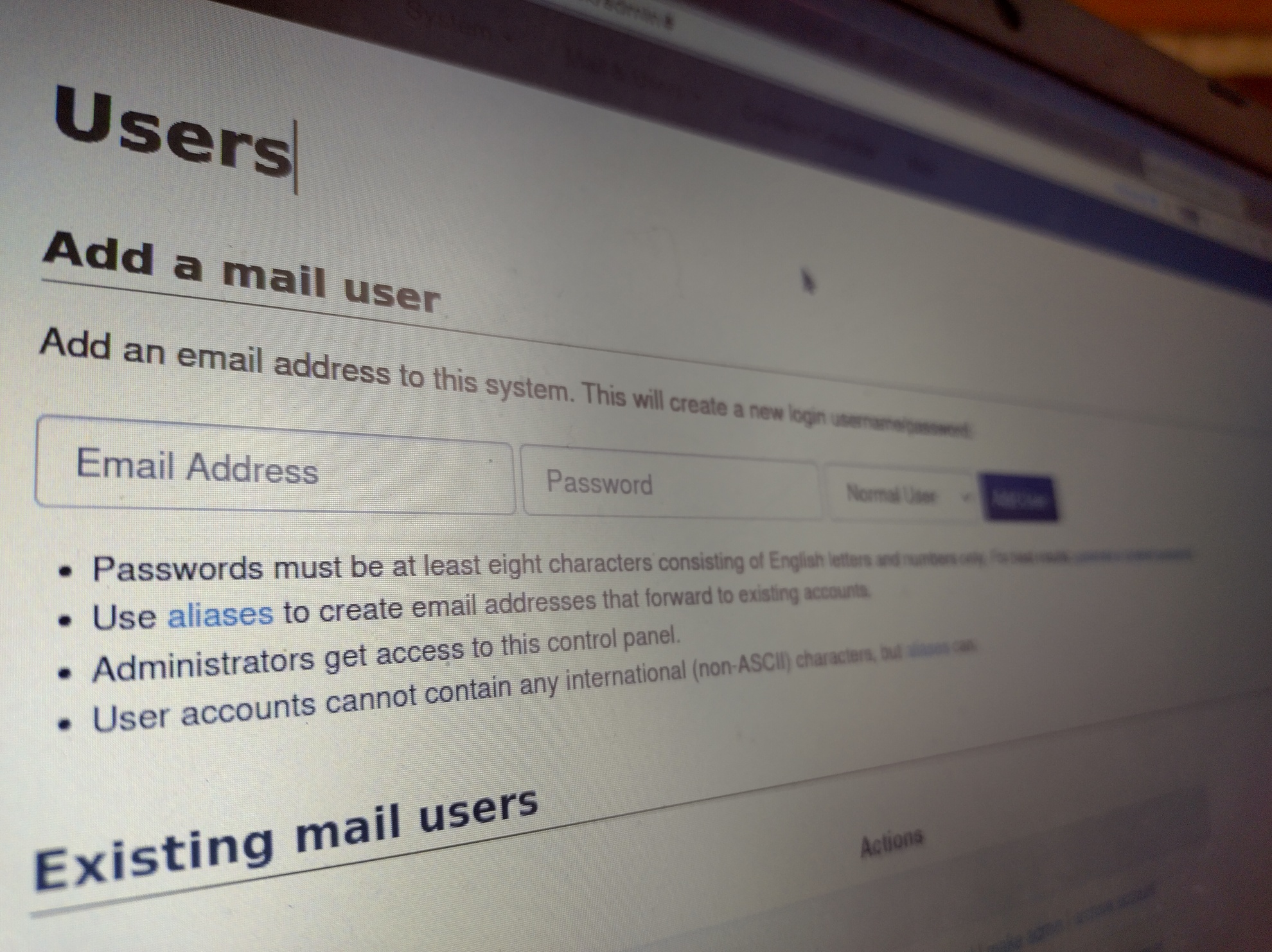
    Mail-in-a-box will do all the nitty-gritty of configuring a complete mail server with web-mail, contacts, calendars and a simple but functional web-based admin interface.

    Skill requirements

    You need to be able to set up a Linux server on the internet somehow, and you need to be confident with ssh and the command line.

    You do not need to be an SMTP, IMAP, POP, DKIM or DNS wizard.

    Basic setup and installation

    Mail-in-a-box is a complete solution built on Ubuntu 18. You need the right version, or Mail-in-a-box won’t run.

    I made a small VPS with Aruba, an Italian hosting provider, for €3/month, 1Gb ram and 20Gb storage, which leaves about 15Gb after installation. I could chose a preconfigured Ubuntu 18 image, which made it all the easier.

    Mail-in-a-box is a shell script you download and run as root. It’ll install all the needed packages, ask a few questions and configure everything for you. The questions are mostly the fully qualified hostname and and initial user account.

    First time I set it up with one of my secondary domains, but the script is safe to re-run, so I could easily reconfigured everything for my primary domain.

    Once installation and configuration is done (almost automatically) there’s a web-based admin interface for all the rest.

    The contents of the box

    There’s quite a bit in the box:

    • Postfix – for sending and receiving email;
    • Dovecot – IMAP server;
    • Roundcube – web mail;
    • Nextcloud – a minimal instance for contacts and calendars;
    • Let’s Encrypt certificate handling;
    • A DNS server;
    • A backup system, local or remote;
    • Munin for server status surveillance;
    • A minimal web server for static pages; and
    • An admin interface.

    Practically everything is configured out of the box or through the admin interface.

    Everything is integrated.

    There’s a unified user database, so you login to all the different parts using a single login (your email address) and a single password.

    The contacts in Nextcloud are available in the web mail.

    I haven’t had to touch a configuration file for anything directly.

    This is as close to “it just works” as I’ve seen on Linux.

    DNS

    There are lots of DNS entries for mail, and while it is possible to use other DNS servers, it is a lot of work setting up all the different A, NS, MX, TXT and SRV records.

    Mail-in-a-box has a primary DNS server included, which has all the needed records.

    For most of the fifteen or such domains I have, in four or five groups, it was far easier to change the primary DNS server for the domain to the Mail-in-a-box server than to enter all those records in the hosting provider’s web interface.

    Since I have another VPS with web sites and my primary Nextcloud instance, I could easily configure that as secondary DNS server and use the mail box as the primary DNS.

    I have one domain, in Denmark, where I cannot do that. Fortunately Mail-in-a-box offers a very long list of what you need to configure in an external DNS service to work from, so it’s mostly just tedious copy and paste work.

    Configuring mail clients

    Receiving, reading and sending mails using the web mail works straight out of the box.

    On our home computers we use Thunderbird, but Mail-in-a-box sets up the necessary DNS names and files for auto-configuration, so we just needed to enter our primary email address and our password, and Thunderbird got the rest directly from Mail-in-a-box.

    The Gmail app on Android phones doesn’t do that, so there we had to enter the hostname manually.

    Apparently the Gmail app for Android only do threaded mail reading for Gmail accounts, so the experience is less pleasing. I installed FairEmail on my phone, and it got the configuration automatically.

    Relaying

    My Linux systems tend to send me emails every once in a while. They’re mostly the output of cron jobs, various reminders, or notices of system updates.

    First thing, I created a ‘relay@mail.server’ on the Mail-in-a-box server, so I could configure the mailer daemon on the other computers to relay through the mail server authenticated as the relay user.

    The mail server promptly rejected the mails, saying that the ‘relay’ user wasn’t authorised to send mails from those senders (such as ‘root@web.server’).

    The solution was to create several aliases for the relay user, for each of the sender envelope addresses coming out of the web server.

    Mail from our home computers were likewise rejected, because the hostnames used didn’t resolve in DNS. They’re internal hostnames on home networks, so I’m not putting them in DNS.

    In the end I reconfigured Exim4 on these computers to use the primary domain for envelope addresses, and then mail is then accepted by the mail server, if there’s an alias for the relay user for the sender envelope address.

    This means having aliases like ‘root@primary.domain’ and ‘www-data@primary.domain’ for the relay user.

    Conclusions

    Mail-in-a-box makes it very easy to setup and run a correctly configured mail server, which normally is labour intensive and troublesome.

    Most of the time spent making a replacement mail server for the old G Suite setup was in transferring all the domains to the Mail-in-a-box DNS server and getting relaying to work as I wanted.

    Otherwise it’s been a breeze.

  • WordPress image sizes

    WordPress image sizes

    Figuring out proper values for WordPress image sizes takes a bit of effort, but it’s not rocket science.

    Whenever you upload an image to a WordPress site, the software generates several scaled copies of the image. Some are built-in to WordPress, some are defined by the theme used, or by plug-ins, while others can be configured on a per-site basis.

    Built-in images sizes

    No matter what you configure in the settings, WordPress will generate smaller images that are 768px (the medium-large size), 1536px and 2048px on the longest side.

    WordPress doesn’t scaled up images.

    If the uploaded image is more than 2560px on the longest side, WordPress will generate a version scaled to 2560px and use that as if that’s the uploaded full size image. WordPress adds the text “-scaled” to the file name.

    Other images sizes

    Site theme and active plug-ins can add other image sizes.

    The easiest way to find out which is to search for add_image_size in the source files of the theme or plug-in.

    Most themes will define at least one addition image size for a full-screen image, like for a featured image at the top of a page, to match the theme design.

    For example the Twenty Twenty theme adds the size 1980x9999px, which means 1980px wide, and height adjusted to fit.

    Default configured sizes

    Three images sizes are defined in the Media section of the site settings. They are for thumbnails, medium and large sizes.

    WordPress defaults to a thumbnail size of 300x300px cropped square, medium size 600px wide scaled proportionally, and large size at 1024px scaled.

    If you want fewer resized files on you site, you can set thumbnail to either 256x256px or 384x384px (⅓ or ½ of the standard medium-large size), the medium 768px and large to 1536px, replicating the sizes WordPress would make anyway.

    The result will be few files, less disk usage on your hosting, but more bandwidth spent sending larger files.

    Calculating ‘good’ sizes

    The default sizes are not wrong, but it makes sense to change the sizes to match the theme’s idea of a large image and your preferred aspect ratio of images.

    Images scale better if you use integer factors.

    I tend to use an aspect ratio of 4:3 on general sites, but 3:2 on photography oriented sites, and the results can be slightly different.

    I also upload photos to my sites at the ‘right’ size for the theme. If a site uses Twenty Twenty I will prepare the photos to be 1980px wide, as that is what the theme requires.

    If the desired aspect ratio is 4:3 the images will be 1980x1485px (landscape) or 1980x2640px (portrait).

    Factor these numbers into prime factors:

    1980 = 2 x 2 x 3 x 3 x 5 x 11
    1485 = 3 x 3 x 3 x 5 x 11
    2640 = 2 x 2 x 2 x 2 x 3 x 5 x 11

    The three numbers share the factors 3 x 5 x 11 = 165.

    Based on this I will set thumbnail to 330x330px (downscaling the width by a factor 6 and the height by 4.5 or 8), the medium size to 660x9999px (downscaling by a factor 3) and the large to 1280×9999 (downscale 1.5).

    If some sizes comes out very close to the WordPress built-in sizes, choose the same as WordPress.

    Aspect ratio 3:2

    If the desired aspect ratio is 3:2 the images will be 1980x1320px (landscape) or 1980x2970px (portrait).

    Factor these numbers into prime factors:

    1980 = 2 x 2 x 3 x 3 x 5 x 11
    1320 = 2 x 2 x 2 x 3 x 5 x 11
    2970 = 2 x 3 x 3 x 3 x 5 x 11

    The three numbers share the factors 2 x 3 x 5 x 11 = 330.

  • Nextcloud on Synology NAS

    Nextcloud on Synology NAS

    My four years old Synology DS216 couldn’t run Nextcloud, but the new DS720+ can, and happily so.

    The basics are straightforward. Download the ZIP file from nextcloud.org, unzip it under the web shared folder, and configure it in the Web Station app, and run the Nextcloud installer.

    I only had two problems.

    Memcache

    Nextcloud prefers having a memory cache configured, and apparently the apcu module isn’t available in the Synology PHP package. It is not in the list of modules in the Web Station interface.

    It is there, though.

    To activate it, create the file /usr/local/etc/php74/cli/conf.d/nextcloud.ini with this content:

    extension = apcu.so
    
    [apc]
    apc.shm_size = 512M
    apc.enable_cli = 1

    and then enable the memcache normally in the Nextcloud config.php.

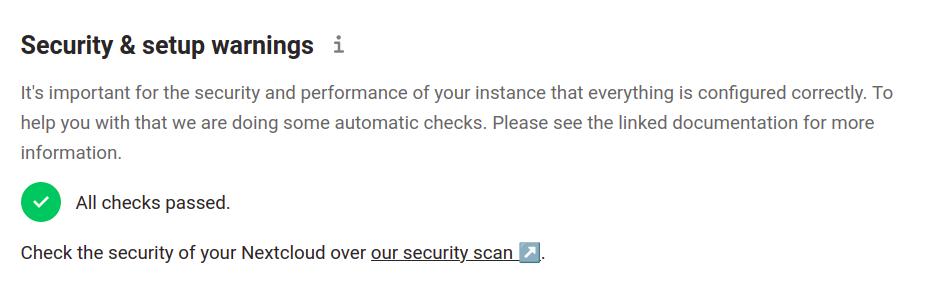
    That’ll make the warning go away.

    Cron-jobs

    I kept getting complaints about Nextcloud cron jobs non being run, and I fixed that my creating a normal system crontab for Nextcloud.

    Create the file /etc/cron.d/nextcloud with content:

    PATH=/sbin:/bin:/usr/sbin:/usr/bin:/usr/syno/sbin:/usr/syno/bin:/usr/local/sbin:/usr/local/bin
    
    0,10,20,30,40,50 * * * * http php74 /volume1/web/nextcloud/cron.php

    Adjust the path to you nextcloud installation directory.

    The cron daemon should pick up the new file automatically. If it doesn’t reload the cron daemon with systemctl reload crond.

    You could probably do the same just as easily using the DSM Task Scheduler.